Using Snowflake with Coco Alemana
Connect to Snowflake to work with data directly against your Snowflake tables.
About Snowflake
Section titled “About Snowflake”Snowflake is one of the remote sources that Coco Alemana supports natively. You can read data from existing tables, as well as save data to new tables entirely, without using Snowsight. All of the actions within Coco Alemana also apply to Snowflake tables.
Load a Table from Snowflake
Section titled “Load a Table from Snowflake”1. Open a new source
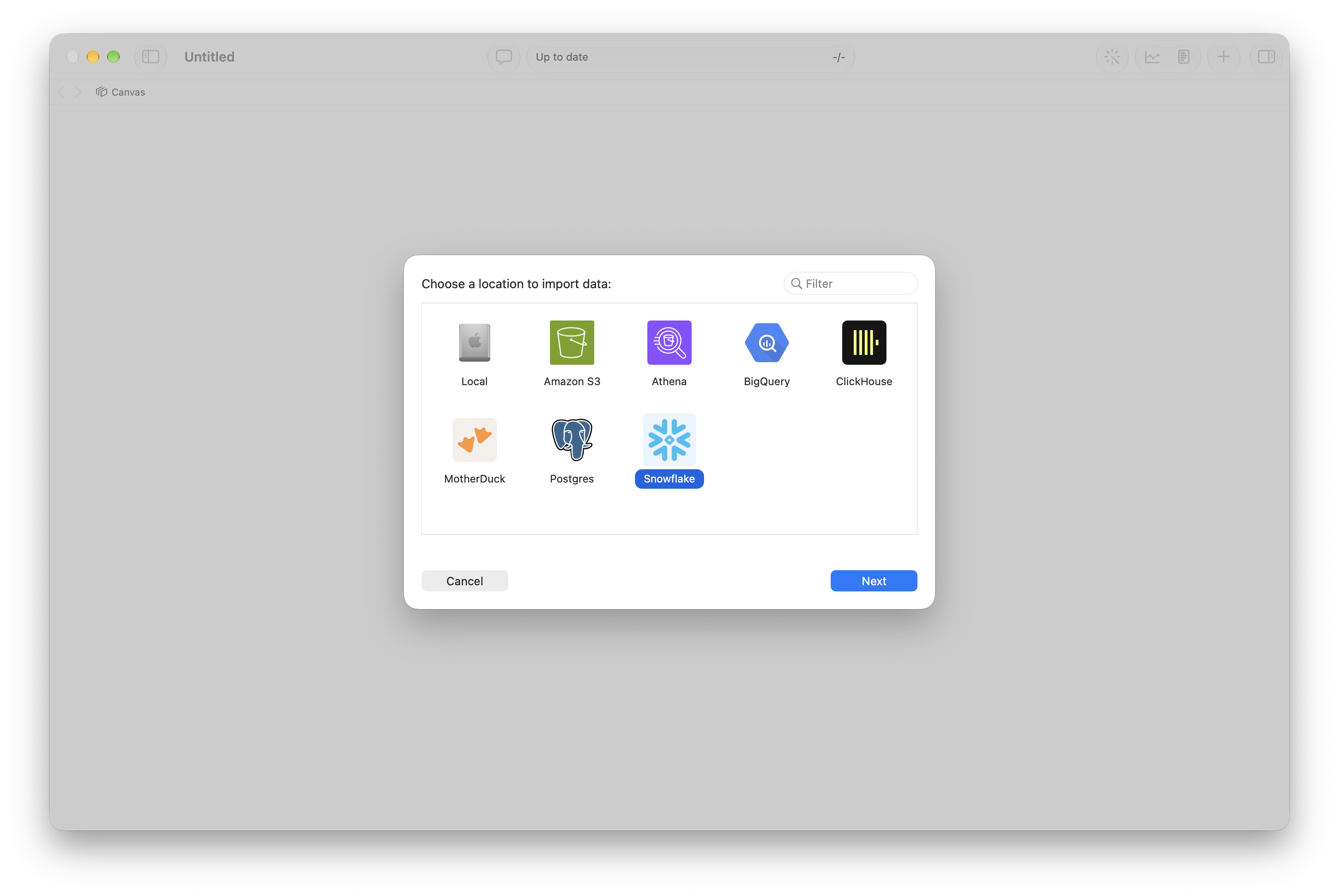
Section titled “1. Open a new source”Once your account is connected, you’re able to load data from Snowflake. To start, you can create a new source via ⌘ N, and select “Snowflake”.
2. Select a Table
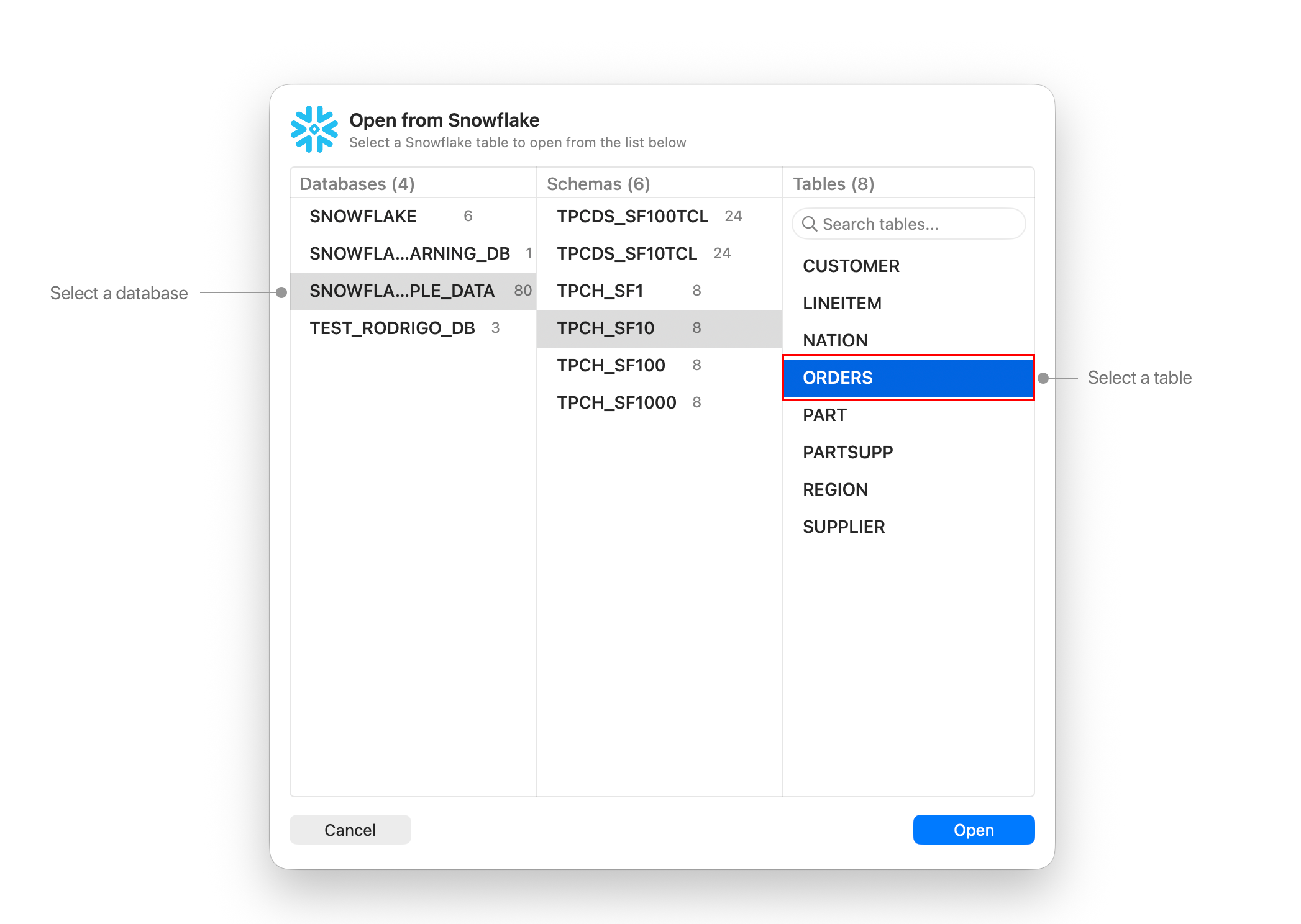
Section titled “2. Select a Table”See your available databases and schemas, and select a table you’d like to import. You can also search for a table.
Modifying Snowflake Tables
Section titled “Modifying Snowflake Tables”You can modify Snowflake frames with the same actions as any other frame. The SQL used in Coco Alemana will translate into Snowflake SQL on your behalf. This means you can work with a massive table without downloading it.
Exporting Data
Section titled “Exporting Data”You export data to Snowflake just like any other frame. You can also export a Snowflake frame to a local file. This process will take slightly longer, as it requires downloading everything onto your device.
Compatibility
Section titled “Compatibility”Coco Alemana is generally very compatible with Snowflake’s types, functions and semantic behavior. Every query is translated into Snowflake SQL for you, so the actions you already know behave the same against Snowflake tables as they do against local files.