GUIDE
Connecting to Postgres
Access Postgres by connecting your local or hosted Postgres database to Coco Alemana
Setting up Postgres Credentials
Section titled “Setting up Postgres Credentials”You’ll need to provide the credentials of your database instance.
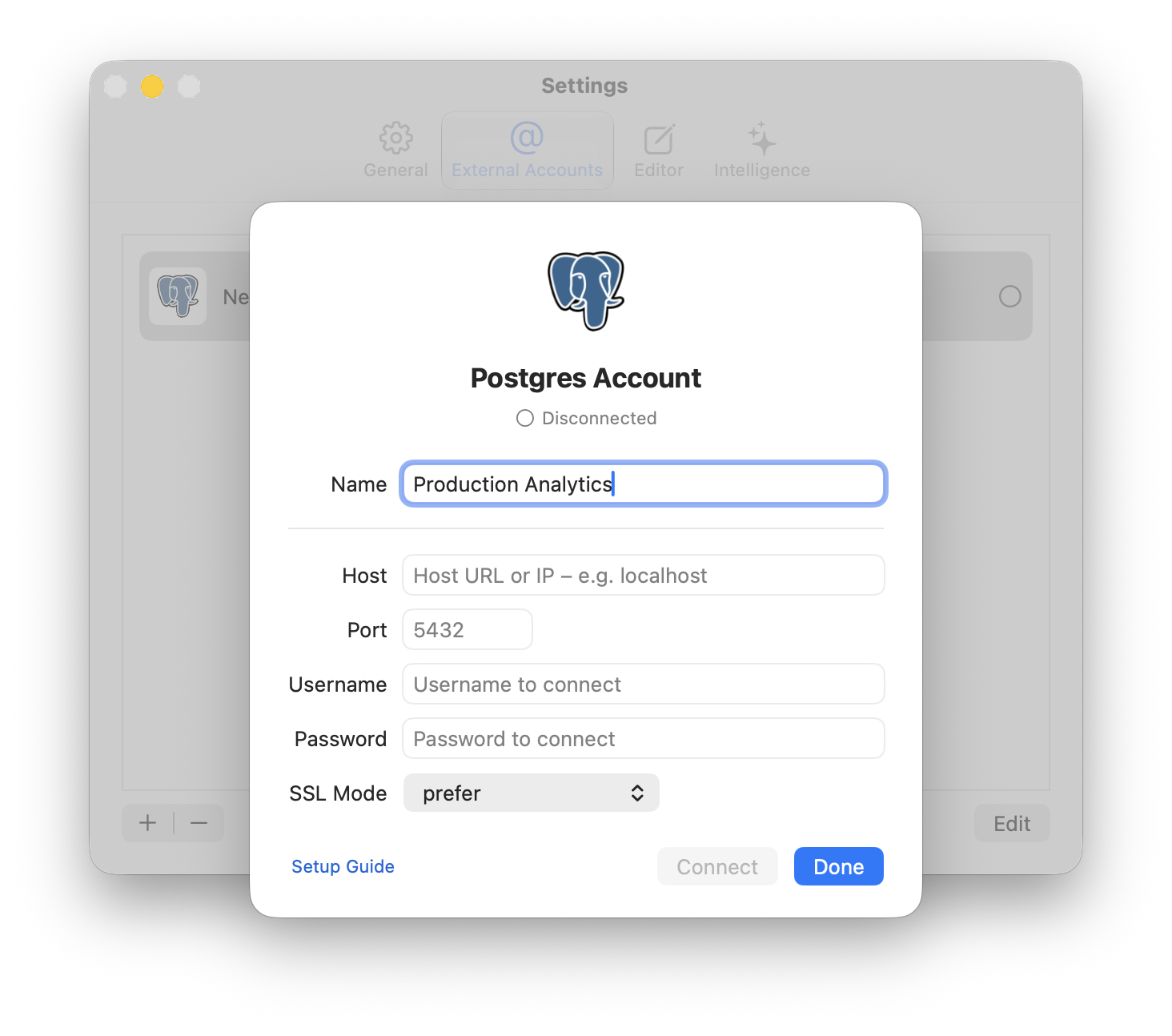
These credentials generally look like this:
- Host URL or IP:
db.abc123xyz.us-east-1.rds.amazonaws.com - Port:
5432 - Username:
username - Password:
YourPassword123@ - SSL Mode: See below, depends on provider.
1. Open the External Accounts Pane
Section titled “1. Open the External Accounts Pane”To provide your credentials to Coco Alemana, open the External Accounts... pane, under the top-level Coco Alemana menu.

2. Add a new External Account
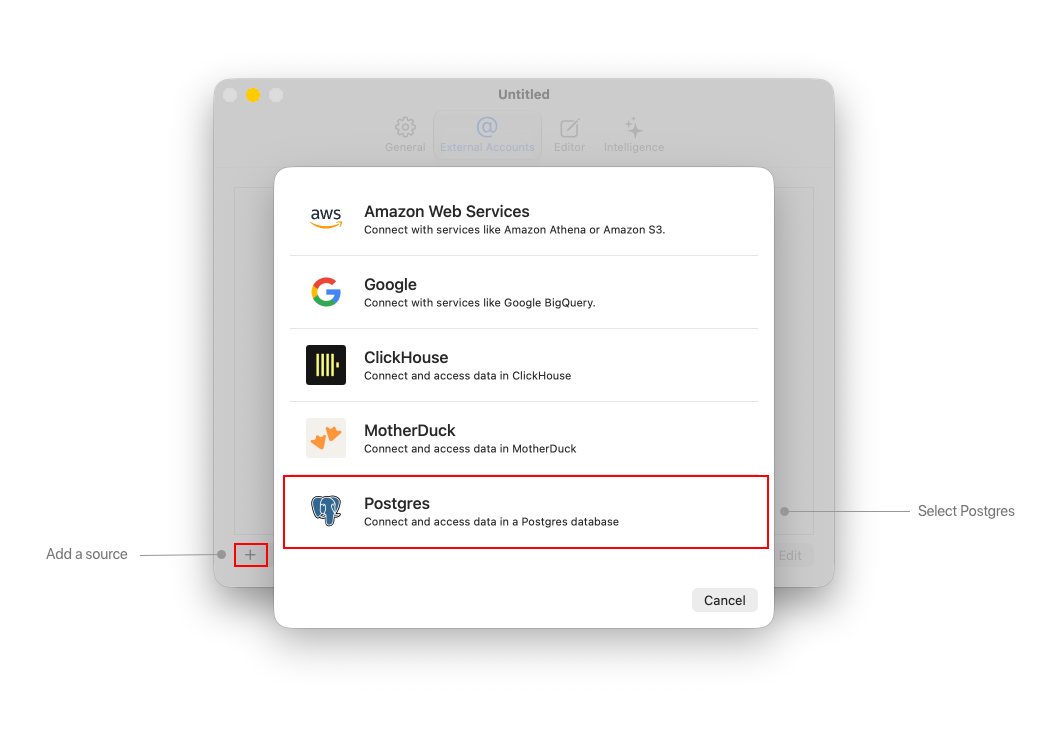
Section titled “2. Add a new External Account”Press the plus button on the bottom-left hand side of the pane.
Select the “Postgres” option.
3. Connect Credentials
Section titled “3. Connect Credentials”Provide your credentials and press “Connect”. Coco Alemana verifies them against your server before saving anything — credentials are stored in the macOS Keychain only after a successful connection.