Using DuckLake with Coco Alemana
Connect to DuckLake to explore your tables, browse snapshots, and compare changes.
About DuckLake
Section titled “About DuckLake”DuckLake is a lakehouse format built on DuckDB — the same engine behind CocoSQL. Coco Alemana connects to DuckLake natively, so you can explore your tables, browse snapshots, and compare changes without leaving the app. You can read data from existing tables, and modify DuckLake frames with the same actions as any other frame.
Open a DuckLake
Section titled “Open a DuckLake”You can open a local .ducklake file from Finder, or connect to a remote DuckLake and start exploring its tables in Coco.
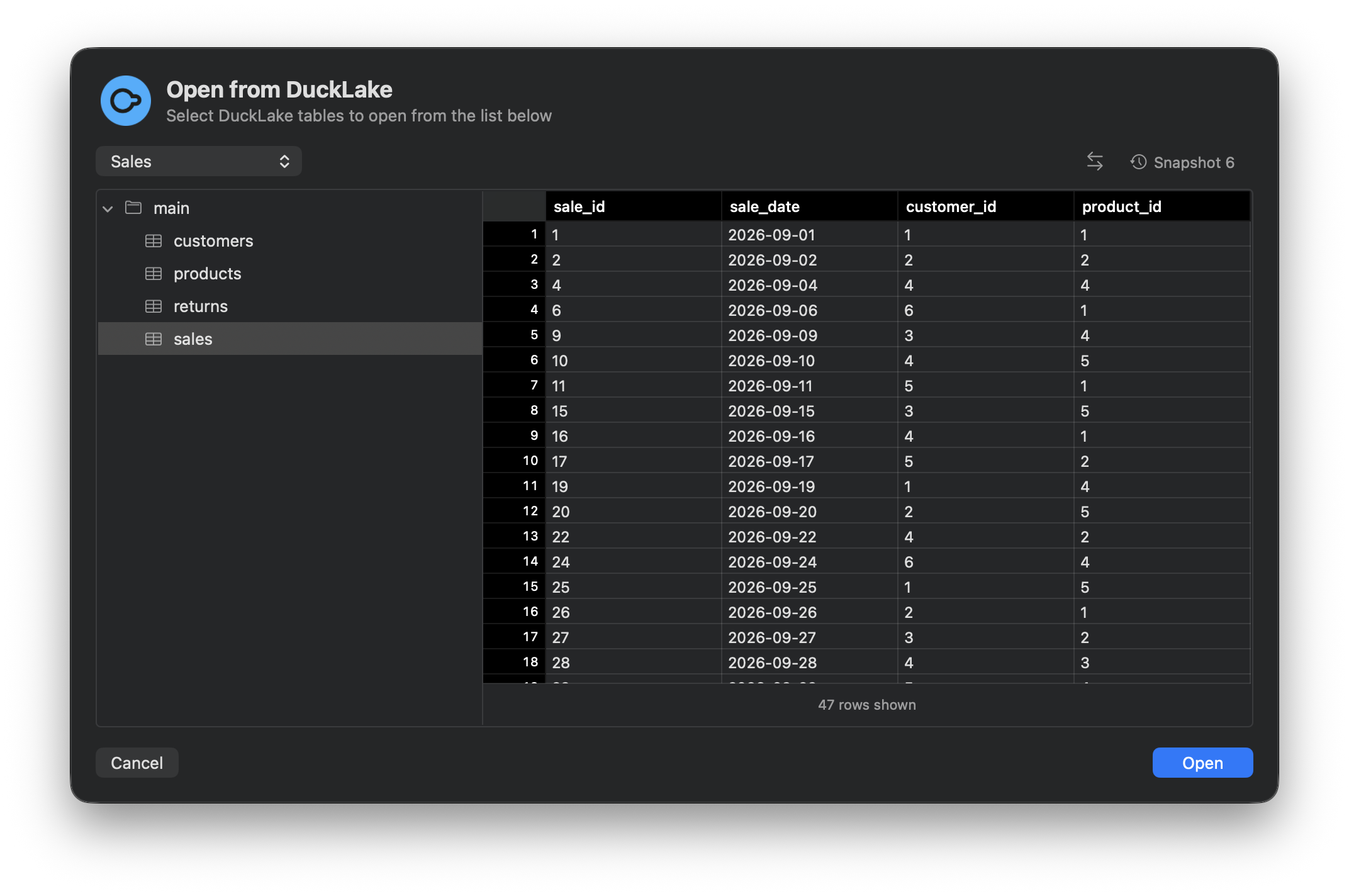
Explore your Tables
Section titled “Explore your Tables”Once you select a table, Coco Alemana loads it as a frame. From there, the same actions you use for any other source apply — clean, sort, filter, re-order columns, or write a custom query with CocoSQL.
Import from a Snapshot
Section titled “Import from a Snapshot”DuckLake keeps a history of changes. Coco Alemana shows those snapshots in a dedicated view, so you can find the version of the table you want to work with.
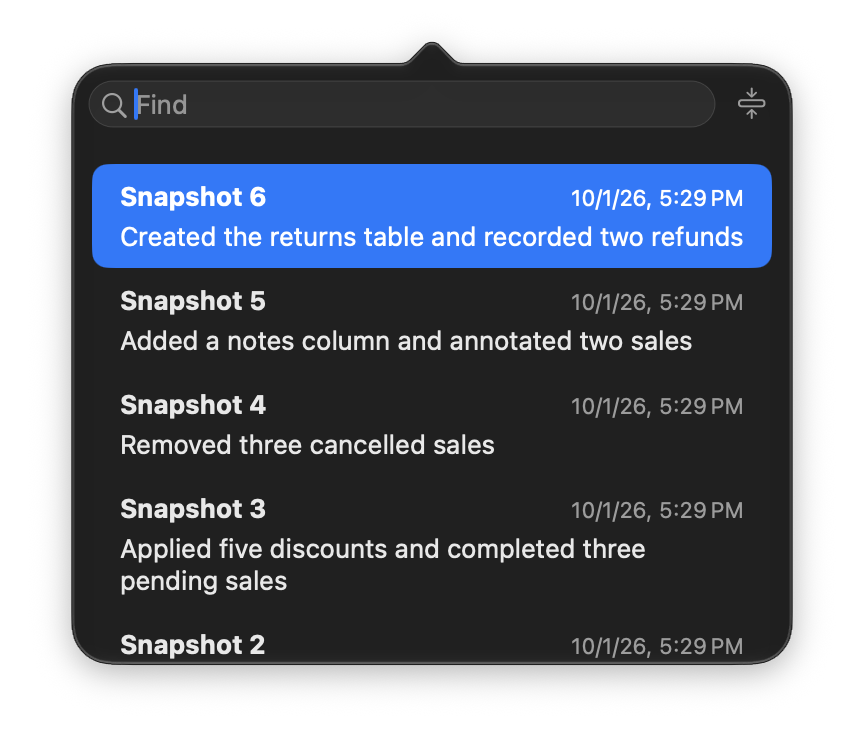
You can choose an earlier snapshot and explore your data as it was then. Viewing or importing a snapshot doesn’t restore or overwrite your data.
Compare Snapshots
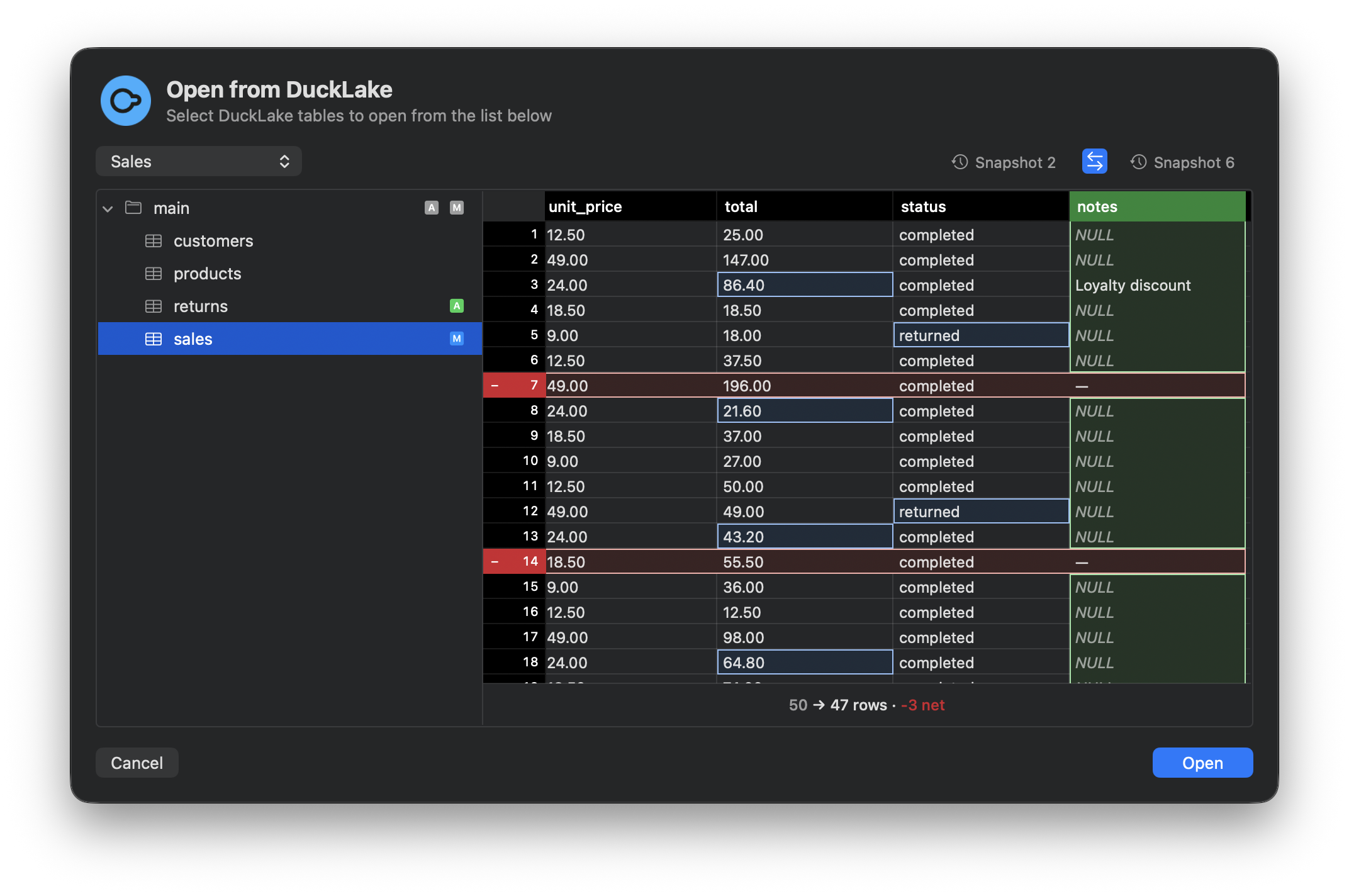
Section titled “Compare Snapshots”You can compare snapshots with a diff view. Added columns, modified values, and deleted rows are highlighted, so you can see exactly what changed between versions.
Compatibility
Section titled “Compatibility”Because DuckLake is built on DuckDB, the SQL used in Coco Alemana runs against it essentially as-is. Types, functions, and semantic behavior line up closely, so the translation caveats that apply to other sources don’t apply here.