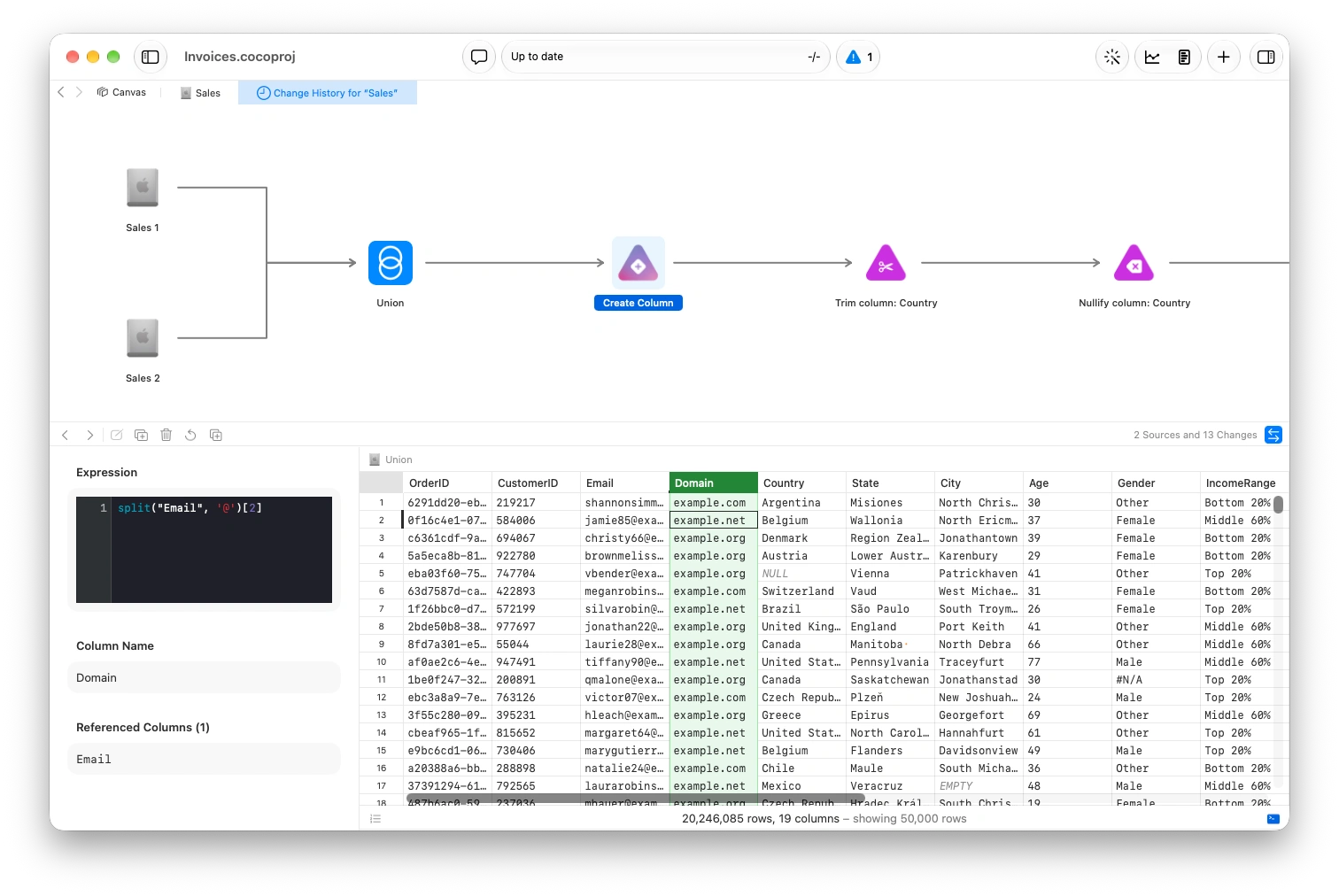
Clean data made easy
Your analysis is only as good as the quality of the data. Coco makes this incredibly important part easy, and seemless
Edit cells directly
See an issue? Click into the cell to modify all versions of that value, such an incorrectly spelled category. See updates in real time, even with billions of rows.
Clean data with natural language
Tell Coco which changes you'd like, and watch them get done for you 10x faster.
Profile without writing a single line of code
View distributions and value counts with just a click. Both update as changes are made, and are fully interactive.
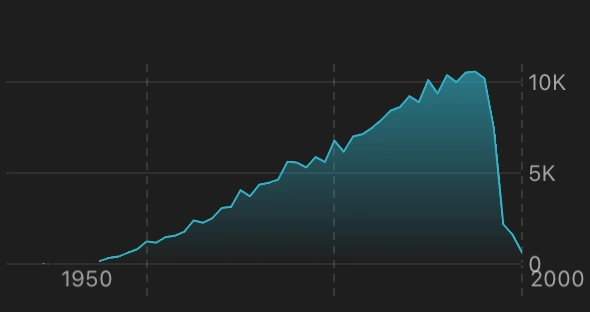
Distributions
Explore how your values are distributed, with adjustable grouping and statistical measures included.
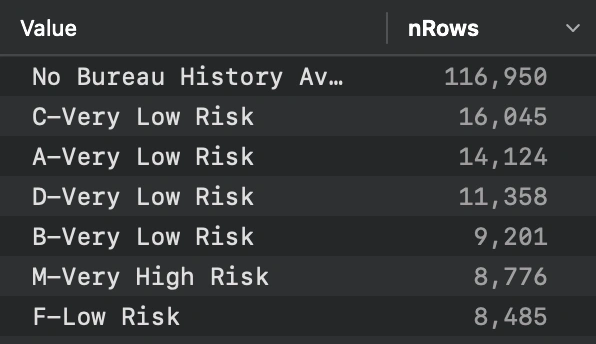
Value counts
See how often each value appears. Search, rename, merge, or convert values to null.
Clean data using distributions
Sometimes it's easier to remove a whole set of data just by looking at the distribution. Click and drag to Merge, Keep Only, or Exclude rows from your selection
Write custom SQL
In addition to changes in the UI, Coco supports a full SQL dialect based on DuckDB – CocoSQL. Create a new column, or write a full query write in the same interface.
Create a new column with SQL, and preview the result as you type.
Write a custom SQL query directly in the interface, with language-specific autocomplete.
Combine SQL queries with visual edits in the same frame. Switch between both as you explore and refine your data.
Quickly merge and join data
Easily merge one or more datasets, with column differences being handled for you. Quickly move columns from one dataset to another.
Slice-and-dice the whole dataset
Coco provides a truely interactive hybrid experience, allowing you to easily delete, move or modify columns. Filter interactively, copy, and more.
Edit columns by renaming, re-ordering just by clicking and dragging. No waiting for processing, or cell execution.
Filter data directly from the distributions view. New distributions update in real time.
Keep track of every change, automatically
Prepare your data without changing the underlying source. Coco tracks your work automatically, so you can revisit old work, or try something new.