Easy to Install & Use
No Dependencies Required
No pip install, complex build scripts or brew install required. Amazon S3 support works out of the box within Coco Alemana, and is updated when you update the main app.
Coco Alemana comes with built-in, native connectivity to Amazon S3. Two-way sync, Finder and Terminal support comes out of the box.
 Finder
A dedicated folder in Finder for all your S3 buckets. Move files around via Finder and work with files offline. Network changes, sync, and storage space are handled automatically.
 Terminal
Navigate S3 just like a standard directory. We provide a convenient ~/s3 path to work with. All the standard commands work, and there's no need for the AWS CLI.
 Coco Alemana
Import and export S3 files directly in Coco Alemana. Use Open-Quickly to provide full S3 paths, and jump straight to business. No additional configuration required.
 Links
LinksClick any s3:// path to open it instantly in Finder. System wide, and works in any text field that recognizes links – such as Slack, Mail, and Teams. It works with public buckets too!
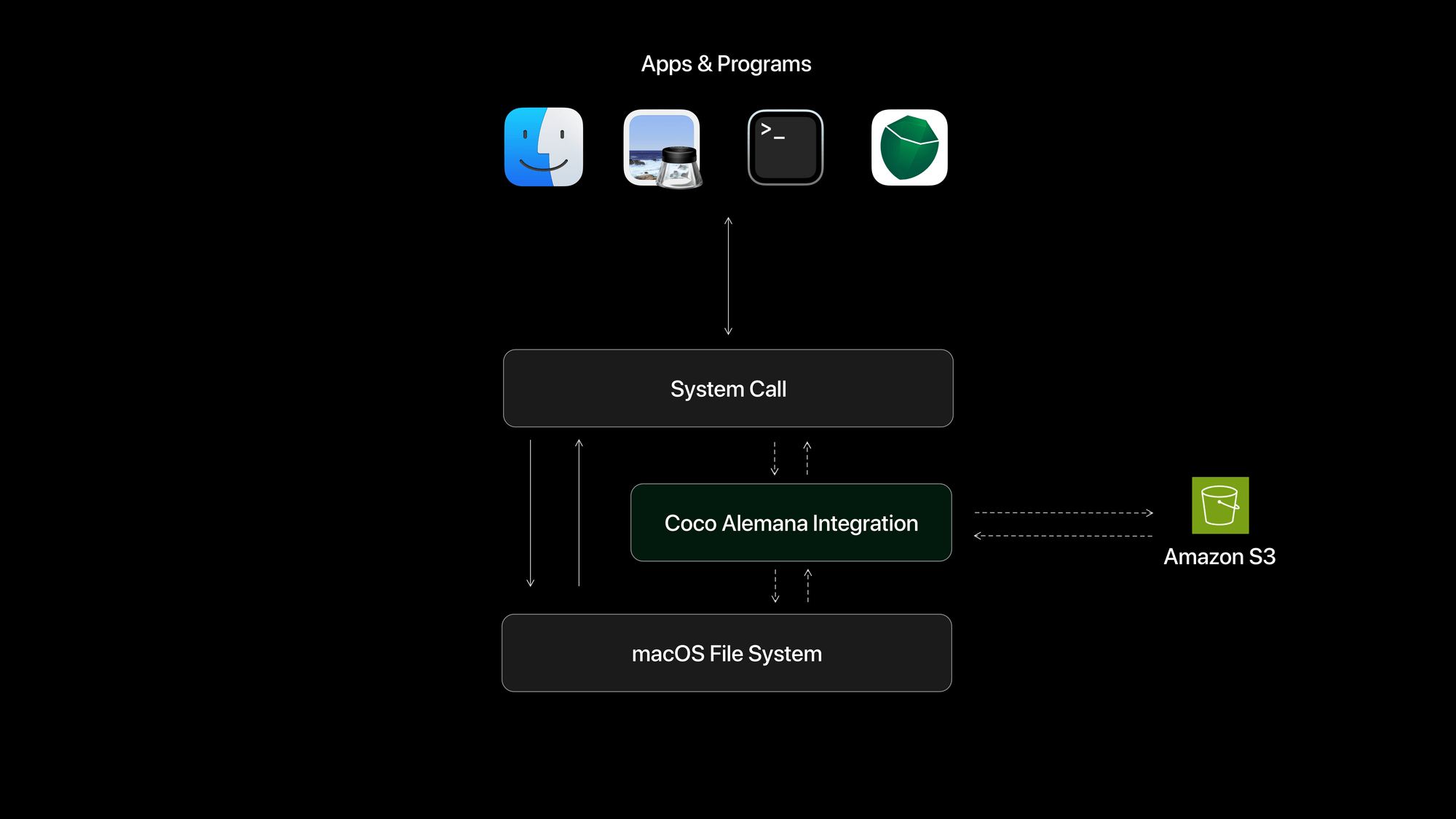
Using secure system APIs, we intercept and make requests to S3 on your behalf. This allows for a system-wide experience like no other – even when Coco Alemana isn't open.
No Dependencies Required
No pip install, complex build scripts or brew install required. Amazon S3 support works out of the box within Coco Alemana, and is updated when you update the main app.
Always On
Our integration works even if Coco Alemana is closed. It turns on when you start your computer, and is heavily managed by the core operating system, so it feels native.
Download Coco Alemana and connect your own S3 buckets to work with them in Finder, Terminal, and Coco.