The best interface for data stored in DuckLake
The world's favorite lakehouse meets Coco.
Open catalogs directly
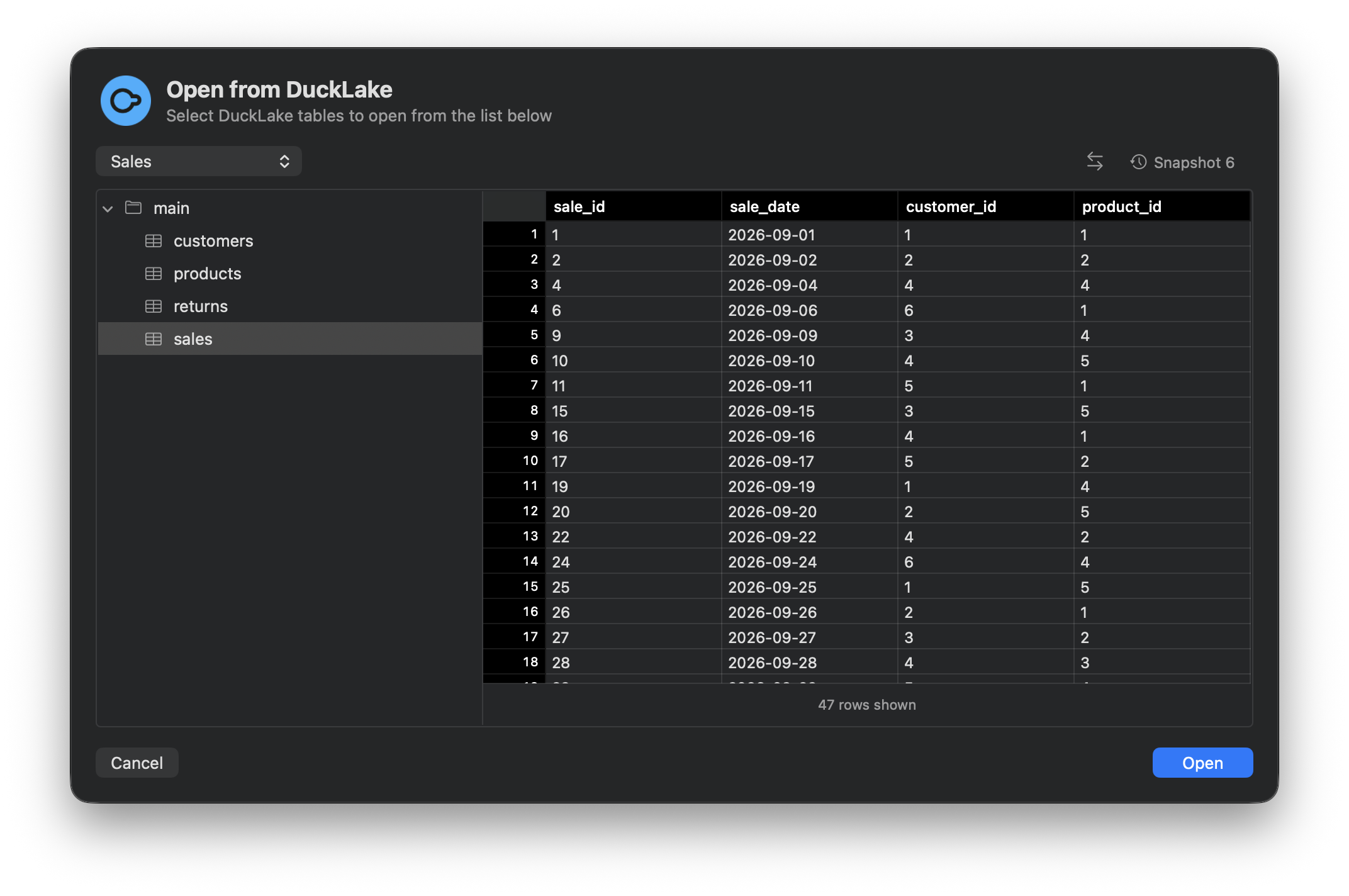
Open a .ducklake file from Finder, or connect to a remote DuckLake. Start exploring your tables in Coco.
Easily import from any snapshot
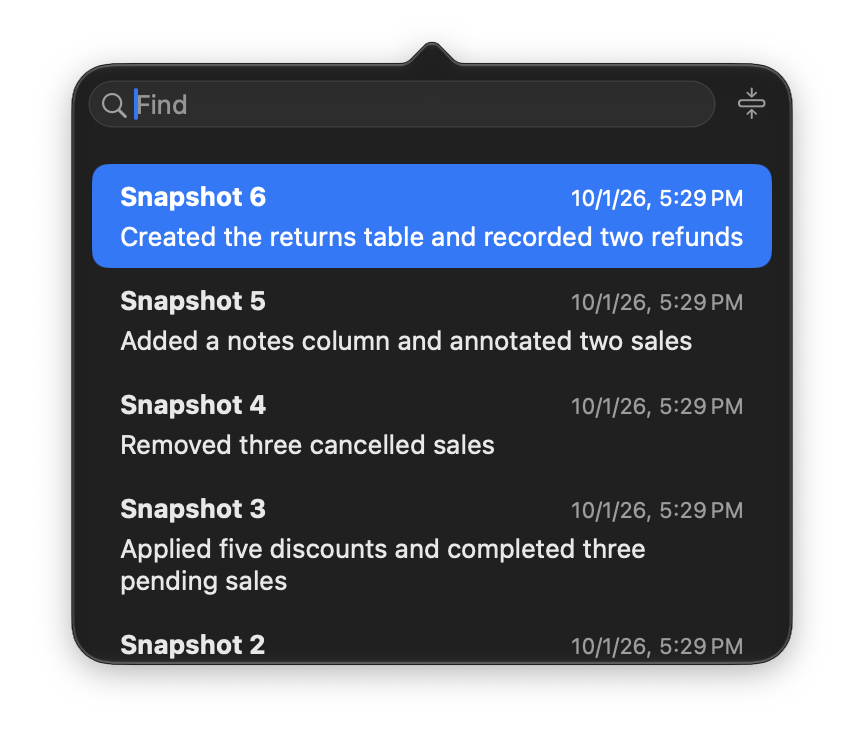
Browse DuckLake snapshots in a dedicated view, and find the version you want to work with.
See exactly what changed
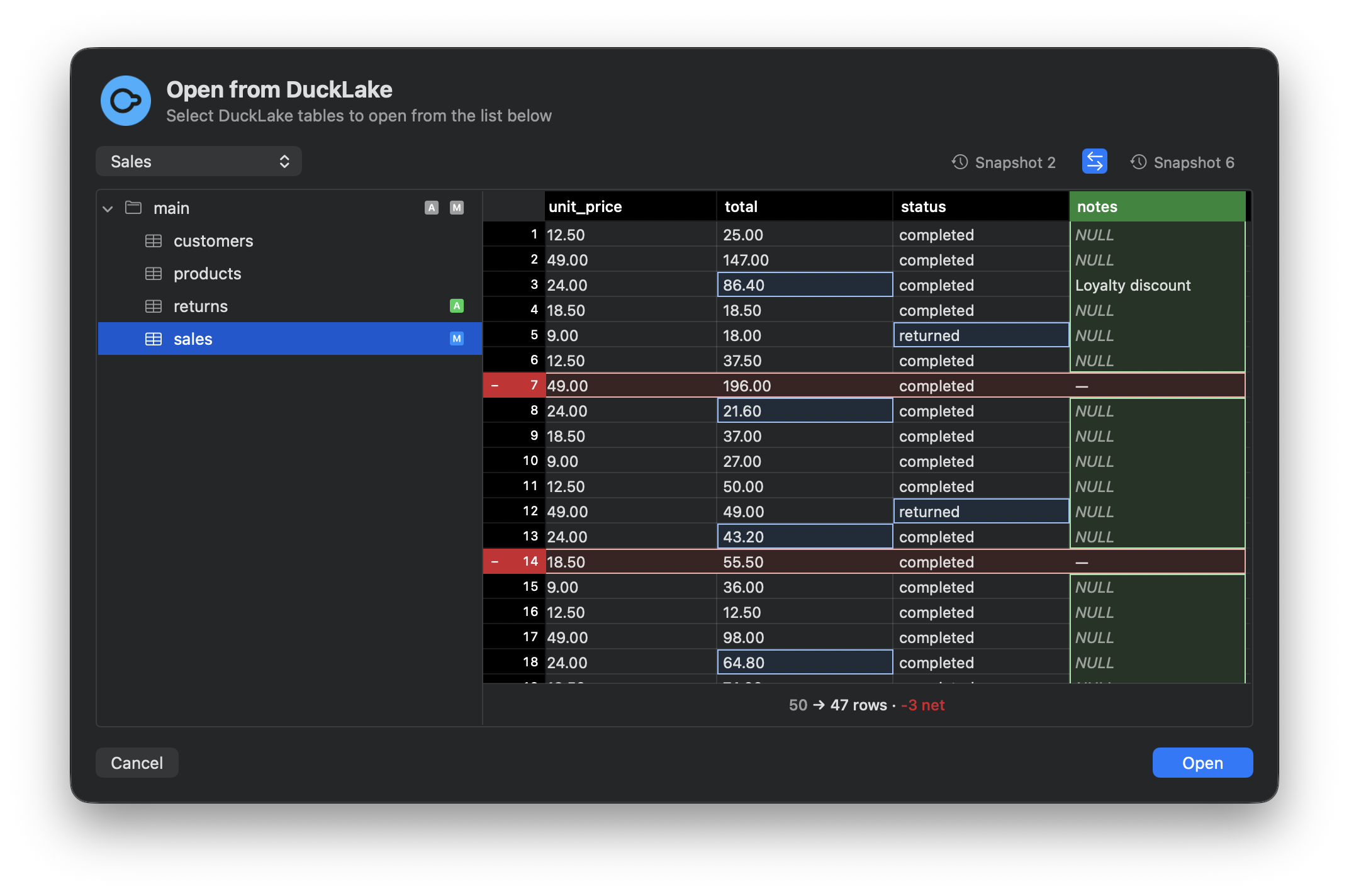
Compare snapshots with a familiar diff view. Follow the changes with just a few clicks. See interactive row, column, and value differences.
Ask questions against your snapshots
Snapshot history and diffs give Coco context to help you investigate changes in your data, even if they occurred at the source.
Connect in seconds
Download Coco Alemana and connect to DuckLake to start exploring your snapshots.